
PixCraft App Icon
PixCraft 4.8 Android AI Photo Editor & Creative Studio

Make the photo you
meant to take.

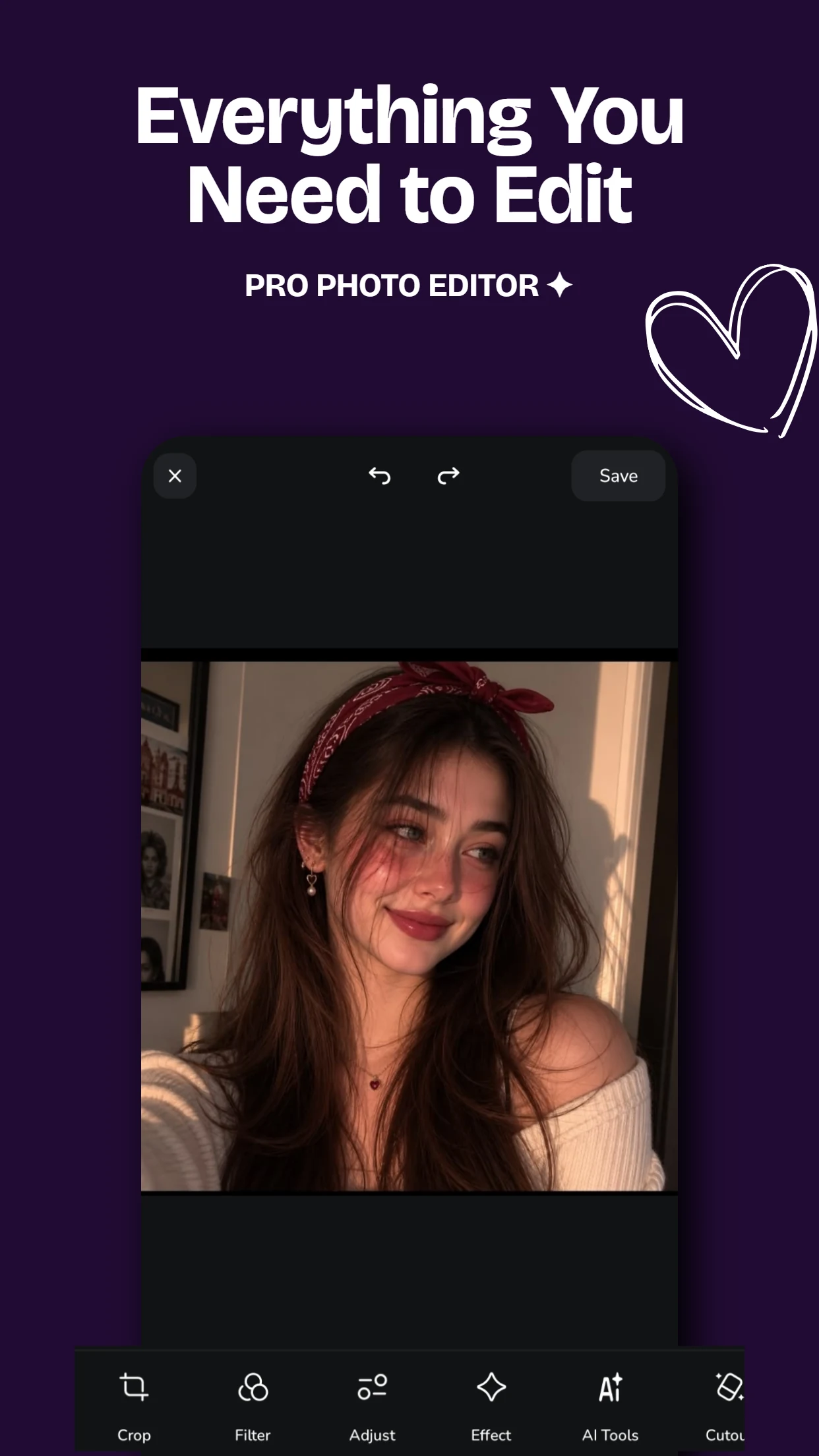
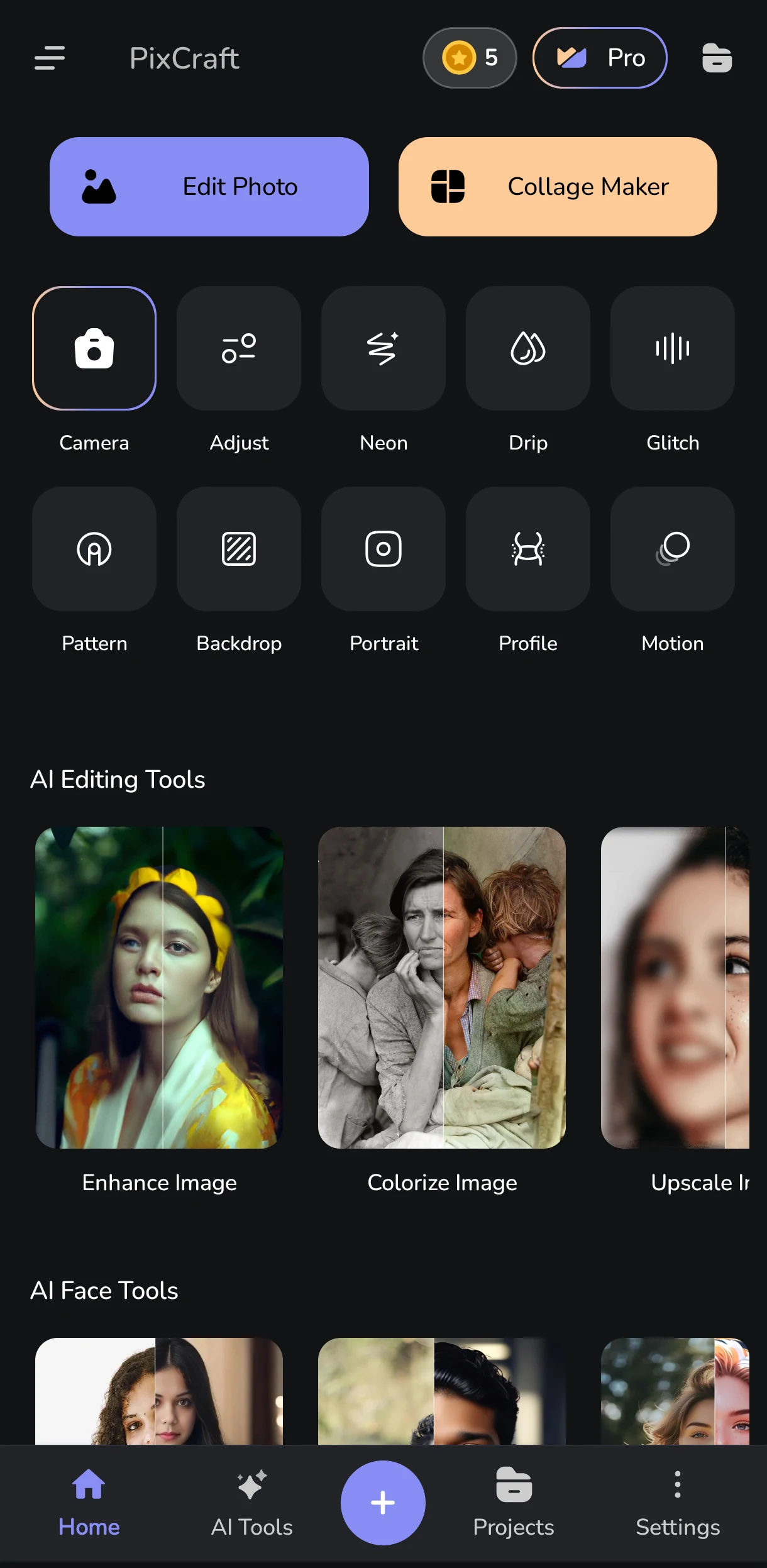
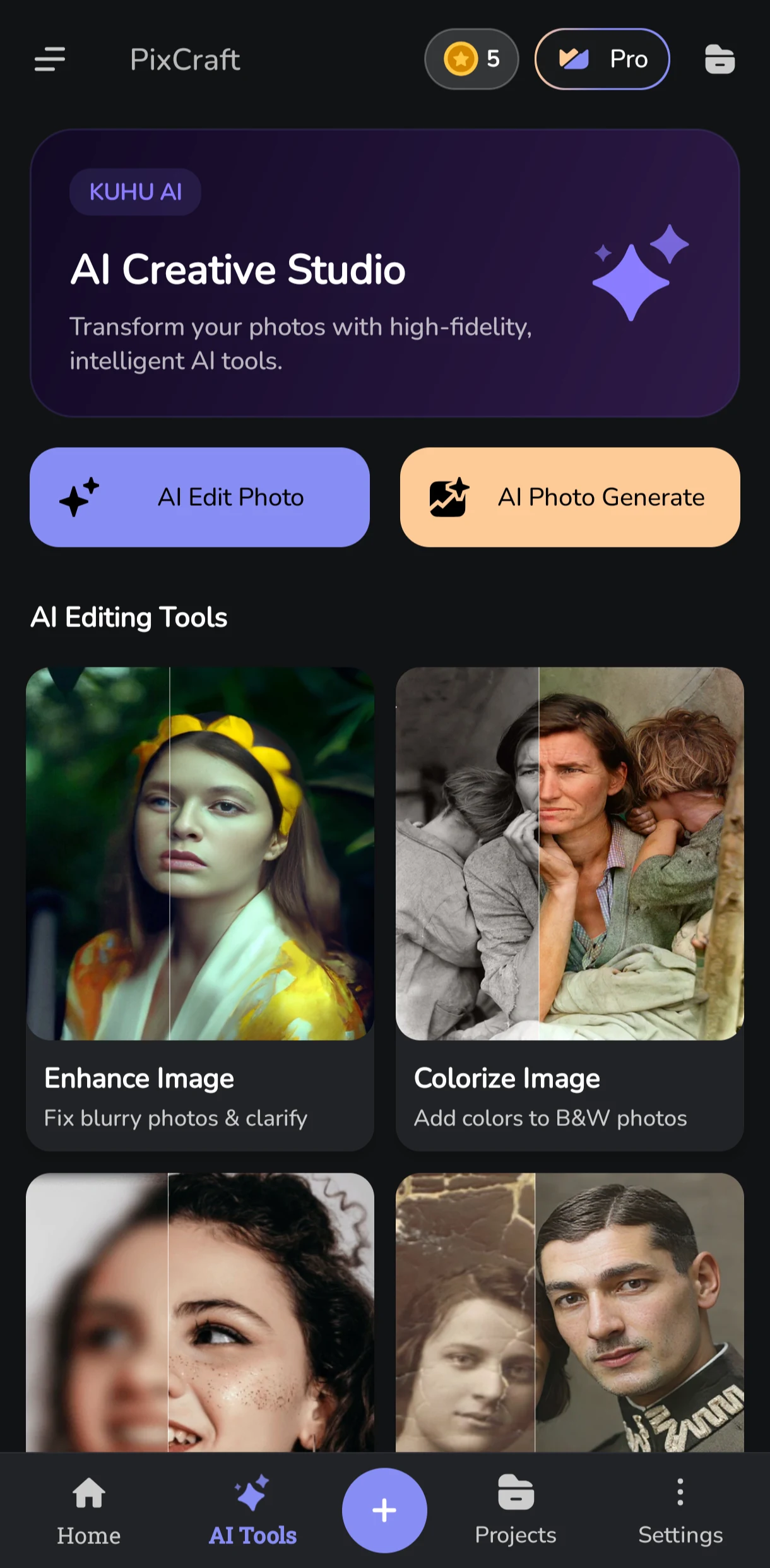
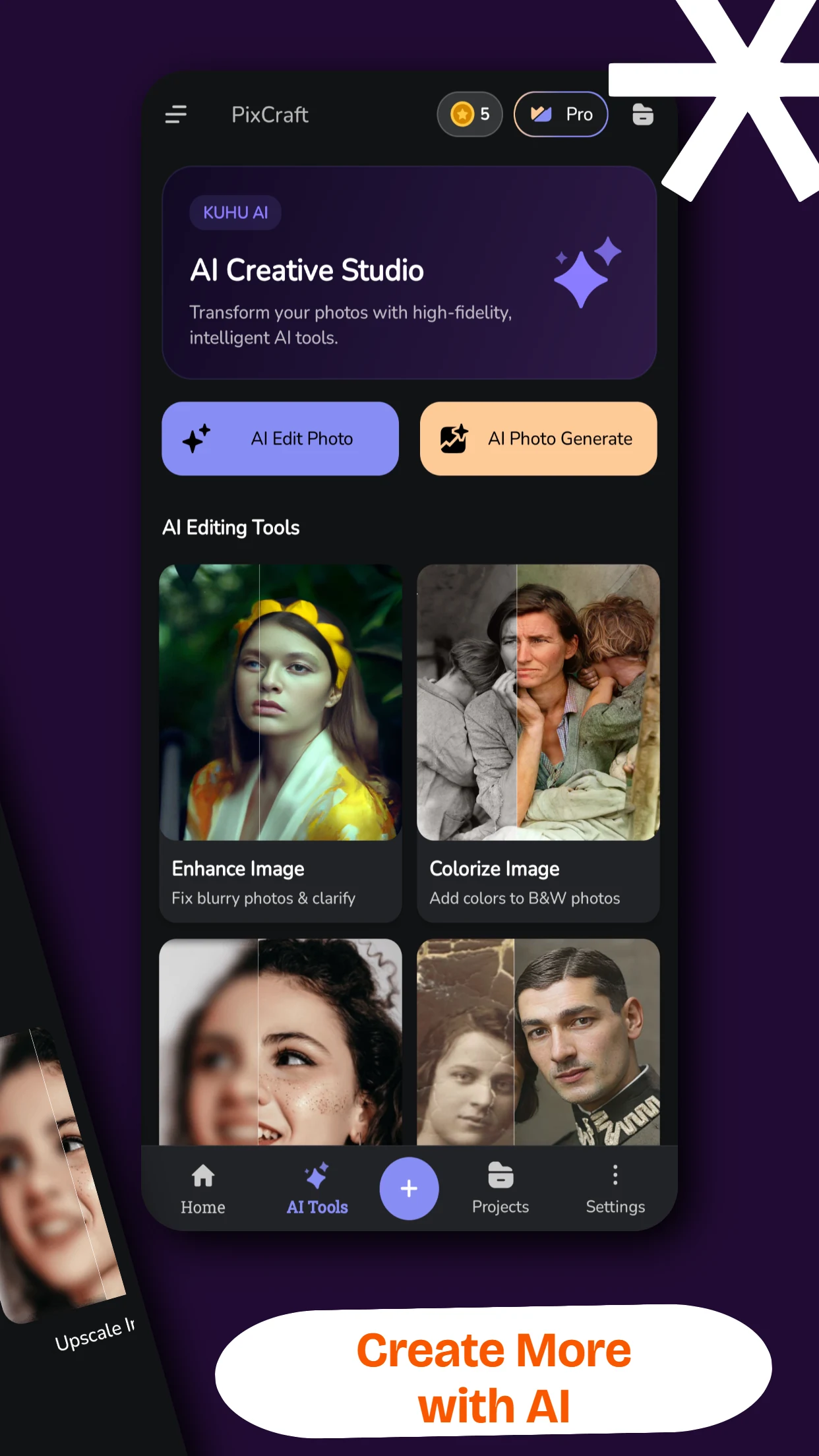
PixCraft is a free AI photo editor and creative studio for Android by Kuhu Labs. Transform your photos with 1-click trending AI templates (Ghibli art, 90s retro trend), remove backgrounds in one tap, swap faces, restore vintage memories, and access 50+ pro editing tools - all in one effortless mobile app.

5.0 / 5.0 Rating 30+ Google Play reviews
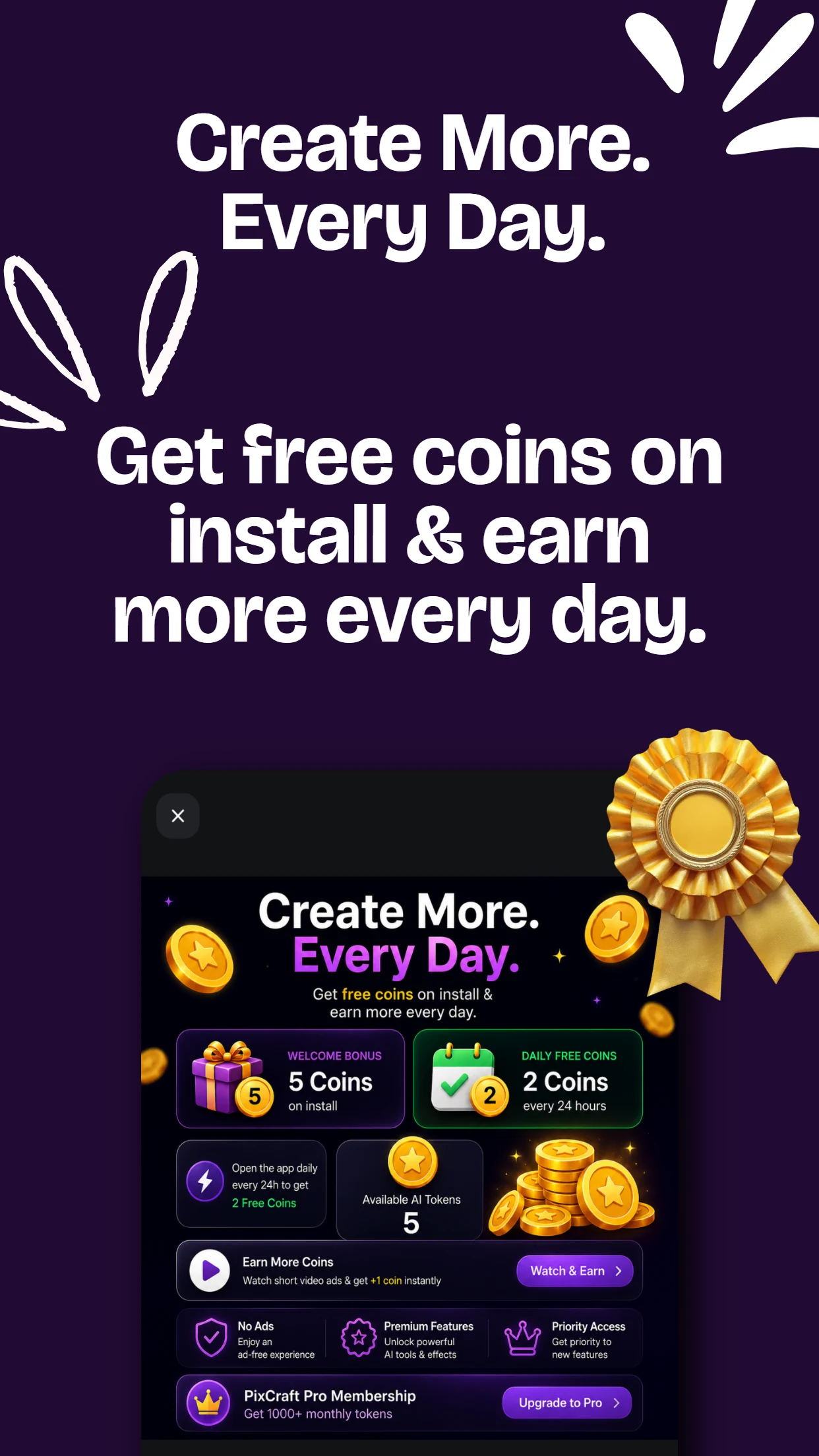
5 Free Coins Welcome bonus on first login
50+ Pro Tools AI + Manual studio
50+ Creative Tools

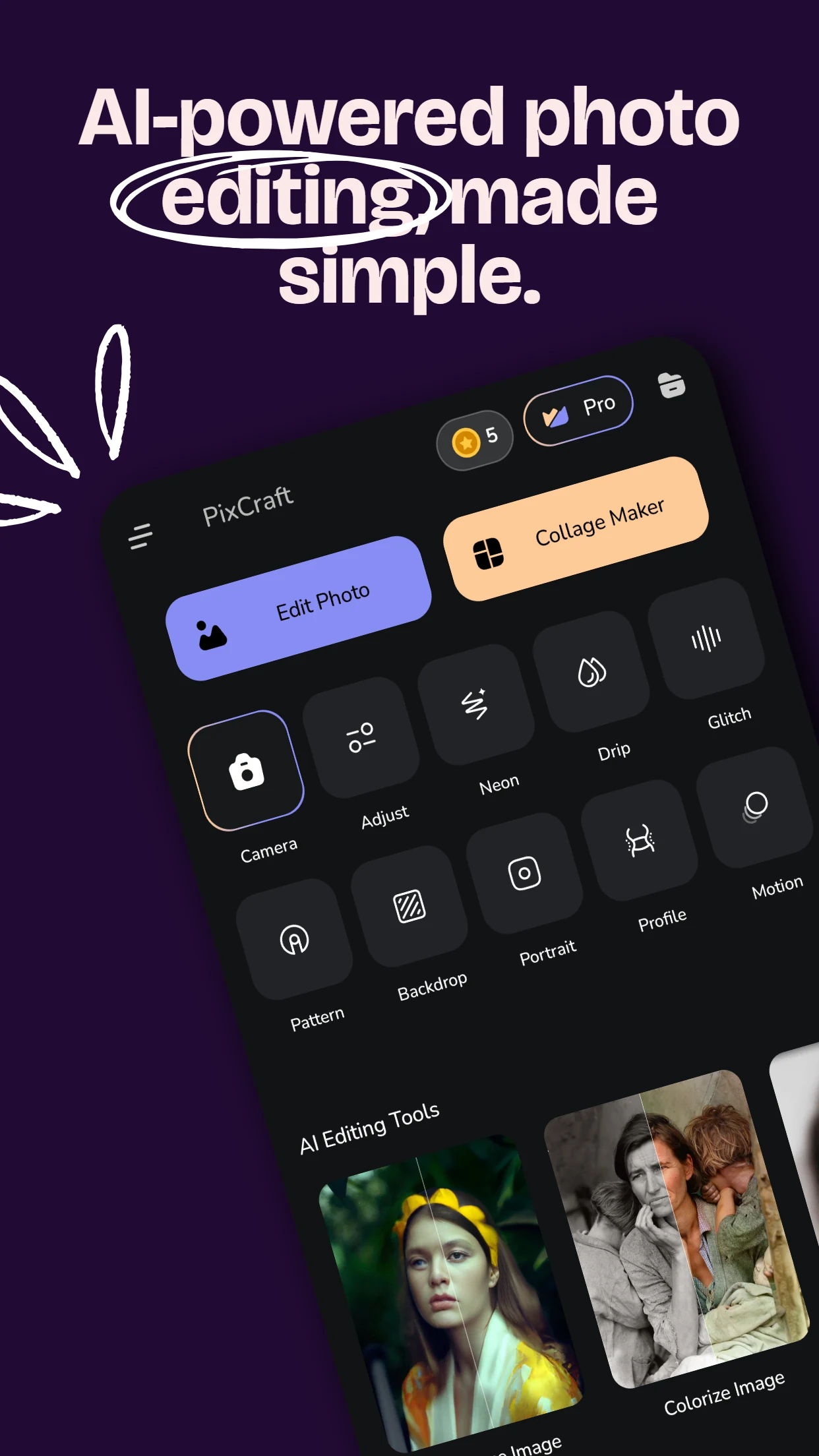
From micro fixes to full AI avatar generation.

1-Click Cutout

Precise subject detection with 1000+ backdrops.

5 Free Welcome Coins

Get 5 free coins on your first login to start creating.

100% Android Native

Fast, fluid performance on phone & tablet.

See The Transformation

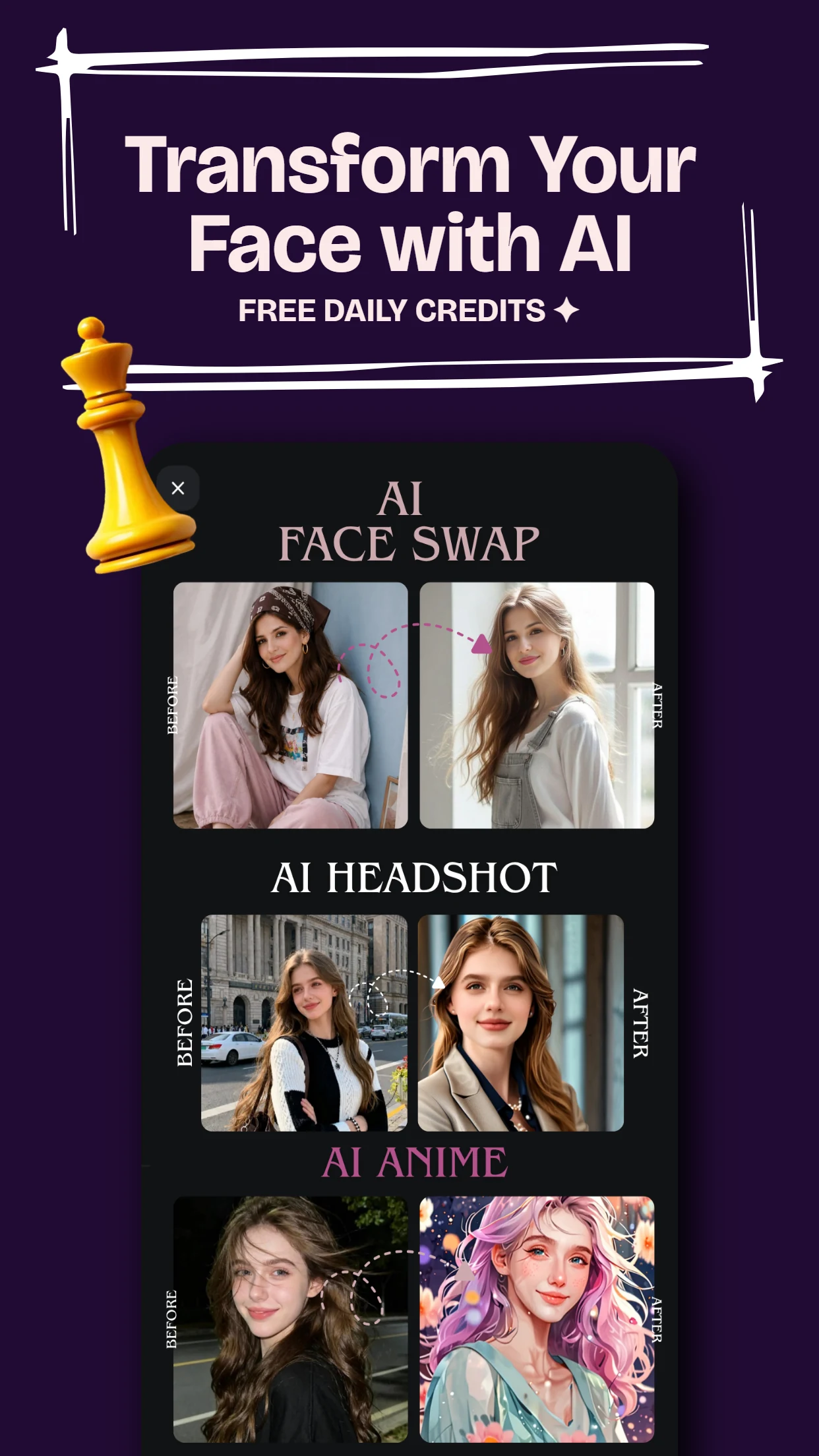
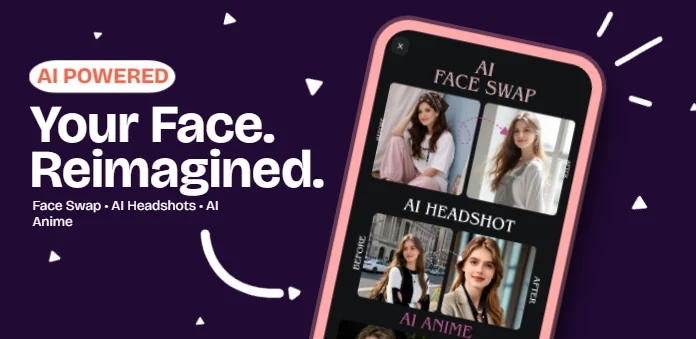
Photorealistic AI Face Swap & Styling.

Drag the interactive slider to see PixCraft's intelligent face swap in action. The neural engine accurately matches skin tones, facial contours, lighting, and expressions onto any aesthetic look seamlessly.

AI Face Swap AI Headshot Photo Enhancer Style Transfer Cutout Remover Natural Lighting
Original Face PixCraft Face Swap
Powerful AI Toolkit

Everything you need to create,
in one seamless app.

Whether you want instant AI transformation or pixel-level manual adjustments, PixCraft equips you with a complete digital darkroom.

01

Trending AI Templates & Styles

Recreate viral social trends with a single tap. Choose from trending styles like Studio Ghibli art, 90s retro yearbook, anime, and aesthetic filters - just pick a template, select your photo, and let AI recreate it instantly. Fresh viral templates added continuously!
Ghibli Art 90s Retro Trend 1-Click Templates
02

AI Face Swap & Headshots

Generate studio-quality business headshots, creative avatars, anime portraits, and instant face swaps powered by intelligent facial diffusion models.

AI Headshot Face Swap Creative Avatars
03

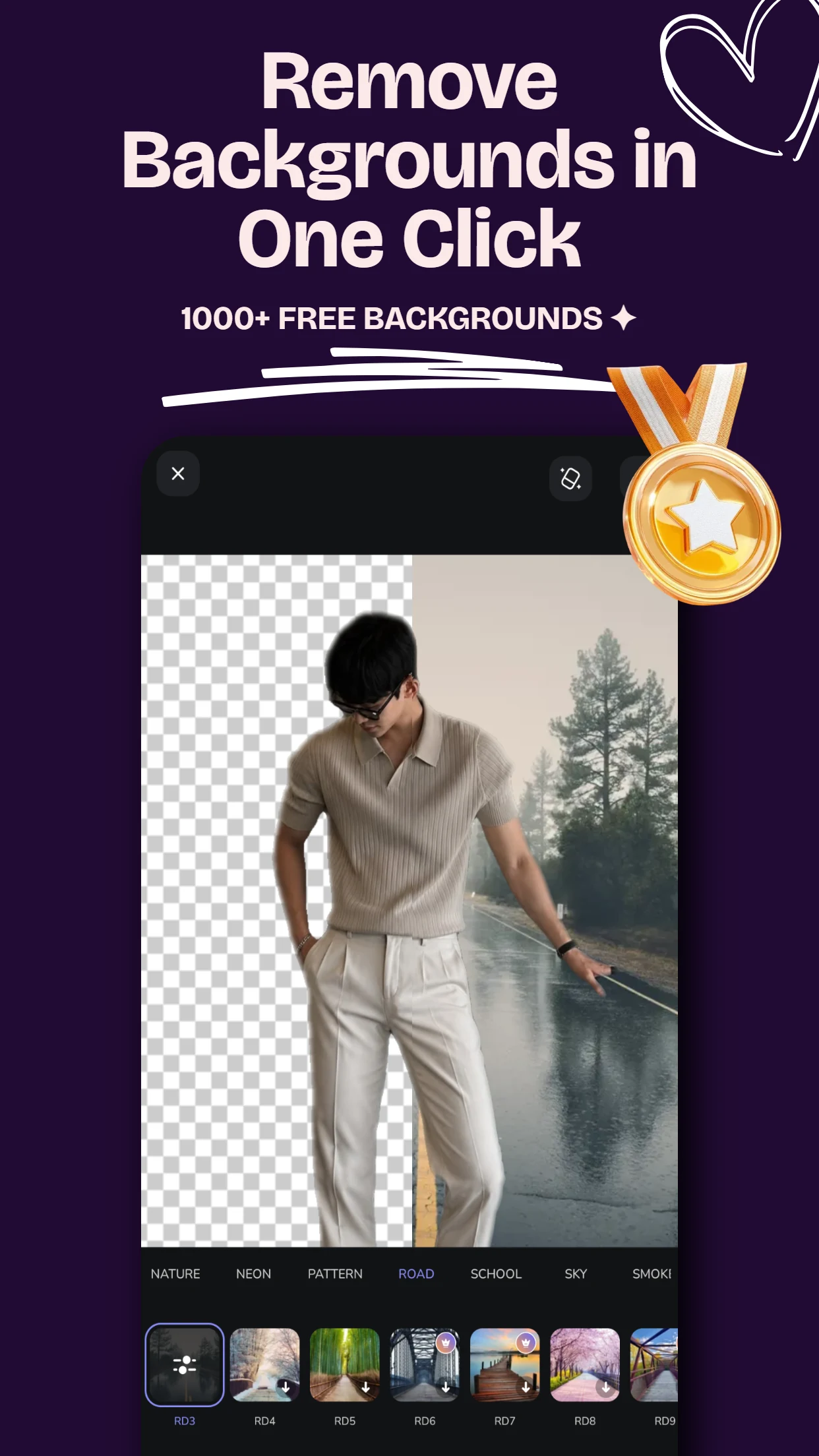
1-Click Background Magic

Instantly cut out people, pets, or objects with hair-level precision. Swap backgrounds from a library of 1000+ aesthetic templates or solid gradients.

Auto Cutout 1000+ Backdrops Custom Blur
04

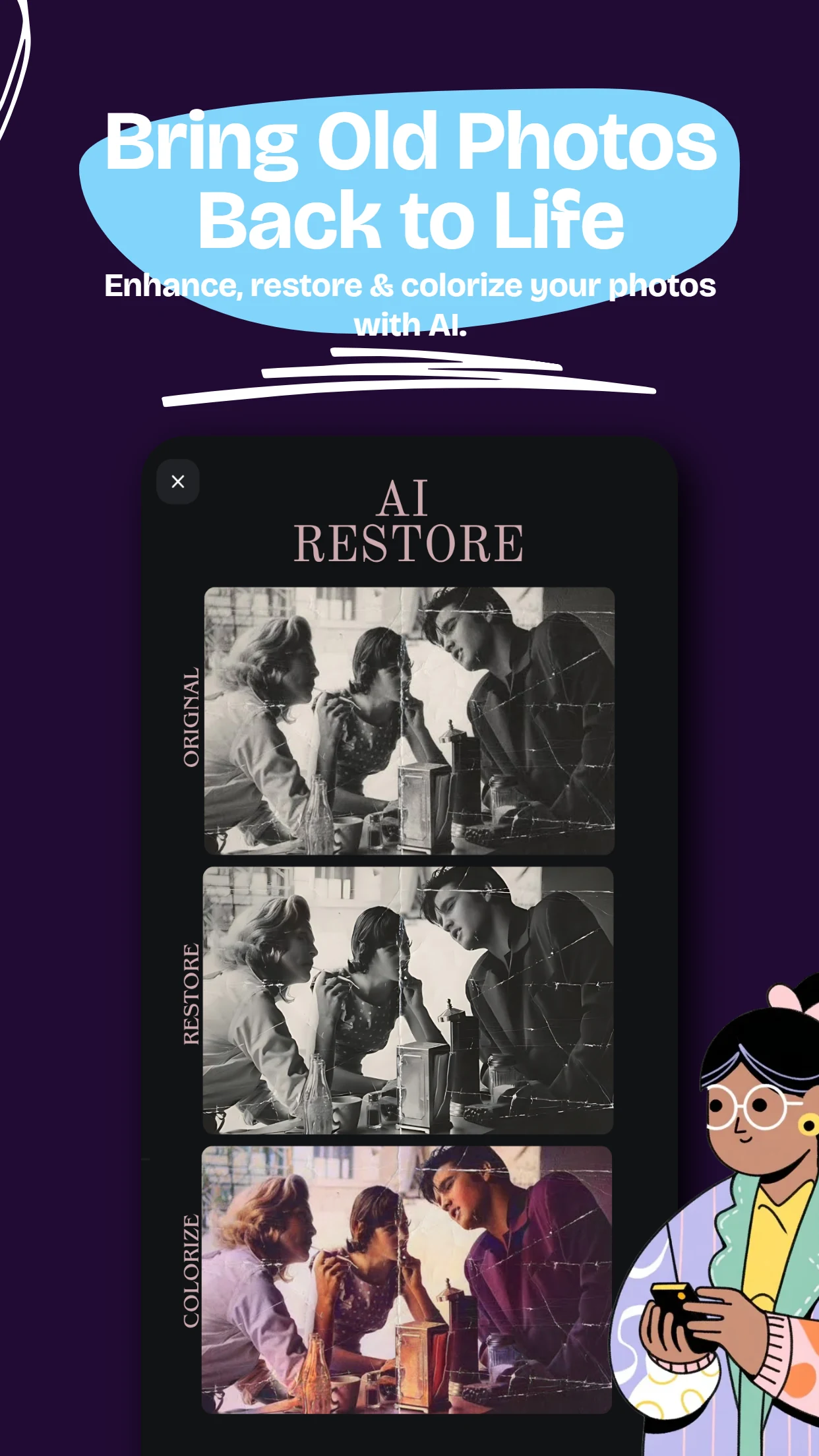
Restore & Colorize Old Photos

Breathe vibrant new life into damaged, faded, or black & white vintage family memories. Removes scratches, grain, and tears automatically.

Colorize B&W Scratch Repair Super Resolution
05

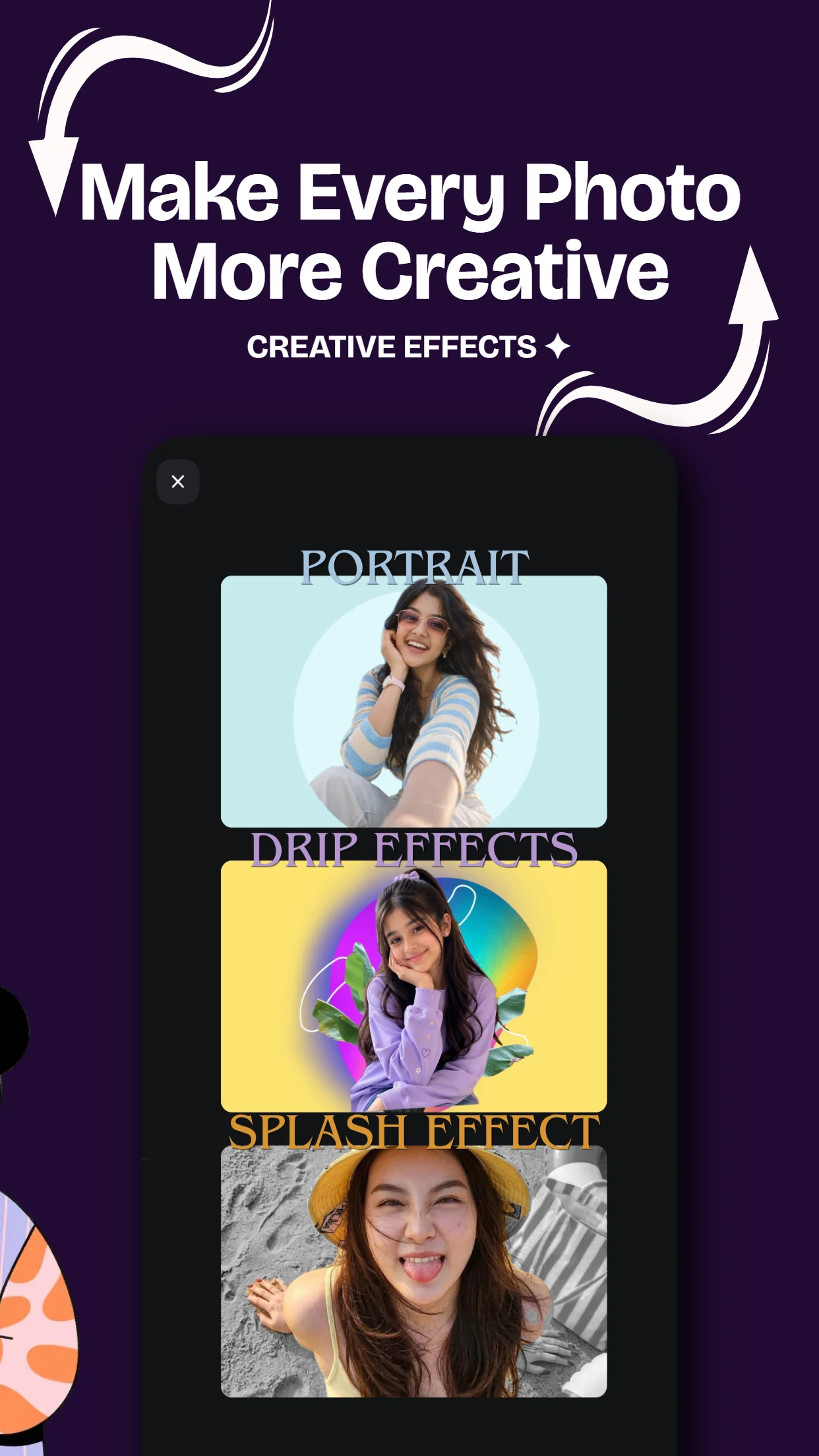
Creative FX & Drip Studio

Stand out on Instagram and TikTok with trendy drip art, neon spirals, glitch aesthetics, portrait backlights, and artistic light leak overlays.

Drip Art Neon Spirals Glitch & Splash
06

Pro Manual Adjustment Suite

Take full granular control over exposure, HSL channels, tone curves, contrast, sharpness, vignette, selective masking, and aspect ratio crops.

Curves & HSL Selective Mask Pro Filters
PixCraft AI photo editor — AI face swap, headshot generator, and background remover for Android
Next-Gen AI Engine

Reimagine any portrait with precision.

PixCraft's neural engine analyzes lighting, facial geometry, and depth to produce natural results without plastic smoothing or uncanny artifacts.

  • Photorealistic Face Swaps: Natural skin tone blending & eye reflection matching.
  • Studio Business Headshots: Professional attire and lighting without booking a photoshoot.
  • Instant High-Res Export: Crisp exports ready for LinkedIn, Instagram, and printing.
Smart Comparison

Why creators choose PixCraft

See how PixCraft compares to typical bloated, expensive photo editing apps.

Feature / Capability PixCraft Standard AI Apps Traditional Editors
Pricing & Access 5 Free Welcome Coins Expensive $30/mo Freemium locks
AI + Manual Suite in 1 App All-in-one studio AI only (no manual) Manual only (no AI)
Old Photo Restoration & Color Included free Separate paid app Complex manual work
1-Click Cutout & 1000+ Backdrops Instant & accurate Basic cutout Manual lasso tool
Mobile Native Performance Fast Android Native Slow Cloud queues Native UI

Responsible AI & Privacy First

PixCraft is built for your own photos, personal creativity, and cherished memories. We do not sell your personal images, and we strictly oppose non-consensual deepfakes or harmful content. Learn more in our Privacy Policy and Terms of Service.

Real User Feedback

Loved by Android Creators

See what users are creating and sharing with PixCraft on Google Play.

5.0
Google Play Store · 30+ Verified 5-Star Ratings
View all on Google Play
AS

Aarav Sharma

Verified User

"The AI Face Swap and Headshot maker is insanely good! Super realistic lighting and facial details without charging high monthly fees like other apps."

AI Face Swap & Headshots
PP

Priya Patel

Verified User

"Restored my grandfather's 40-year-old black & white torn photo in literally 5 seconds. The AI colorizer applied natural skin tones seamlessly. Huge respect to Kuhu Labs!"

Old Photo Restore & Colorize
RM

Rohan Mehta

Verified User

"Best 1-click background cutout on Android. The edge detection around fine hair strands is top tier, and 1000+ backdrops save so much time for e-commerce listings."

1-Click Cutout & Backdrops
NV

Neha Verma

Verified User

"Love that we get 5 free coins on first login to try out features without getting trapped into subscription locks. Clean dark mode UI, smooth animations, and zero clutter."

5 Free Coins on Login
SK

Sameer Khan

Verified User

"The Trending AI Templates are phenomenal! Made my portrait look like authentic Studio Ghibli art and tried the 90s retro yearbook trend with just one click. Love that they keep adding fresh trending styles!"

Trending AI Templates
AJ

Ananya Joshi

Verified User

"All-in-one perfection! Earlier I kept 3 separate apps for retouching, collage, and AI avatars. PixCraft replaced them all in under 50MB."

All-In-One Studio
Got Questions?

Frequently Asked Questions

Everything you need to know about PixCraft.

Yes! When you first log in to PixCraft, you receive 5 free coins immediately to test and use AI generation and enhancement tools without paying a dime.

Absolutely. PixCraft includes dedicated AI Restoration and Colorization models that remove scratches, eliminate tears, sharpen blurry faces, and apply accurate, vibrant colors to vintage monochrome photographs.

PixCraft is optimized for modern Android smartphones and tablets running Android 8.0 and above, ensuring fast processing and smooth touch interactions.

Yes, your privacy is our top priority. Photos are processed securely and are never shared or sold to third parties. You retain 100% ownership of your creations.

Our edge-detection model instantly isolates your subject with hair-level accuracy. You can save it as a transparent PNG or instantly place it on over 1,000+ designer backdrops, landscapes, and neon stages.

PixCraft App Icon

Your next favorite photo
starts right here.

Download PixCraft today and experience what intelligent AI photo editing feels like on Android.

Free to start · Requires Android 8.0+ · Contains ads